MES connects orders, work orders, operations, quality, inventory, and shipping data to manage shop-floor progress.
It keeps sales through logistics aligned on the same data.
What MES helps you do
Trace production after the order
Run production from work orders
Collect results by operation
Inspections and defect history
Monitor inventory and shipping status
See operations on the dashboard
Who this manual is for. It helps shop-floor staff and managers quickly see what to enter and what to check in each menu. Labels and fields may differ slightly by deployment.
Cloud MES Manual02 · End-to-end workflow
Workflow
End-to-end workflow five stages from order to shipment
Standard flow from customer request through shipment. Each step feeds the next using the same baseline data.
1
Order / sales
Capture requests and plan dates
▶
2
Production planning
Schedule with materials and capacity
▶
CORE
3
Operation execution
Direct work and capture quantities
▶
4
Quality inspection
In-process / final inspection and disposition
▶
5
Inventory / shipment
Store finished goods and ship on time
COREOperation execution is the core step where results are recorded.
What you capture on the floor flows straight into quality, inventory, and shipping—enter results as soon as work finishes.
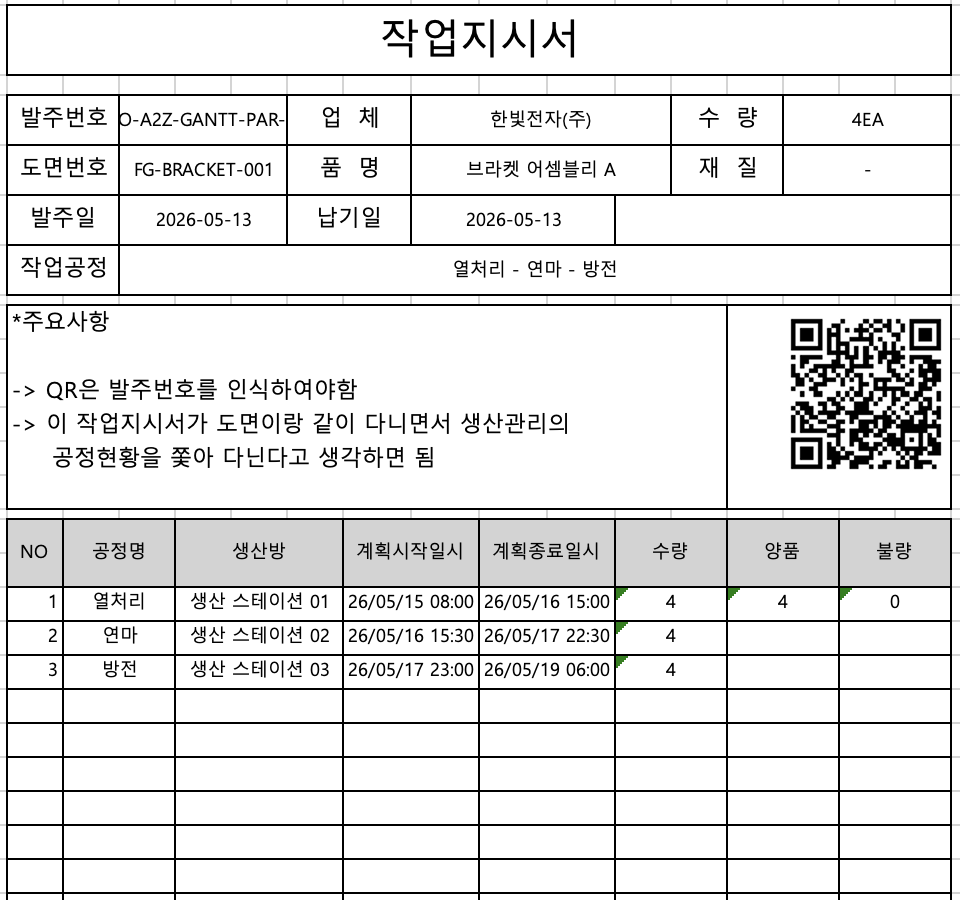
Work order sample—order data, per-operation plan and actuals
Cloud MES Manual03 · Main menu layout
Menus
Main menu layout eight main tabs
This page maps the top main tabs to business areas, key sub-menus, and how they are used.
Operations overview
Review KPIs and items needing action.
Operations overview
Order management
Manage order entry/changes and production linkage.
Order list
Production management
CORE
Manage work orders and operation execution.
Operation statusWork orderDefect management
Outsourcing management
Manage outsourced production and purchasing flow.
Outsourced production
Inventory management
Manage finished and material stock, purchasing, and shipping.
If you use outsourced operations, manage purchase receipts together under Outsourcing.
Sub-menu labels may vary by deployment. The top navigation stays aligned with the operational flow.
Cloud MES Manual04 · Orders and product specs
Sales & Product
Orders and product specs
Sales orders start production from customer demand; product specs maintain the product master data needed to build.
Order management
Register customer requests
Manage due dates and quantities
Track in progress, complete, or delayed
Tie to shipping flow
Product specs
Maintain product master data
Drawings and attachments
Maintain BOMs
Link routing standards
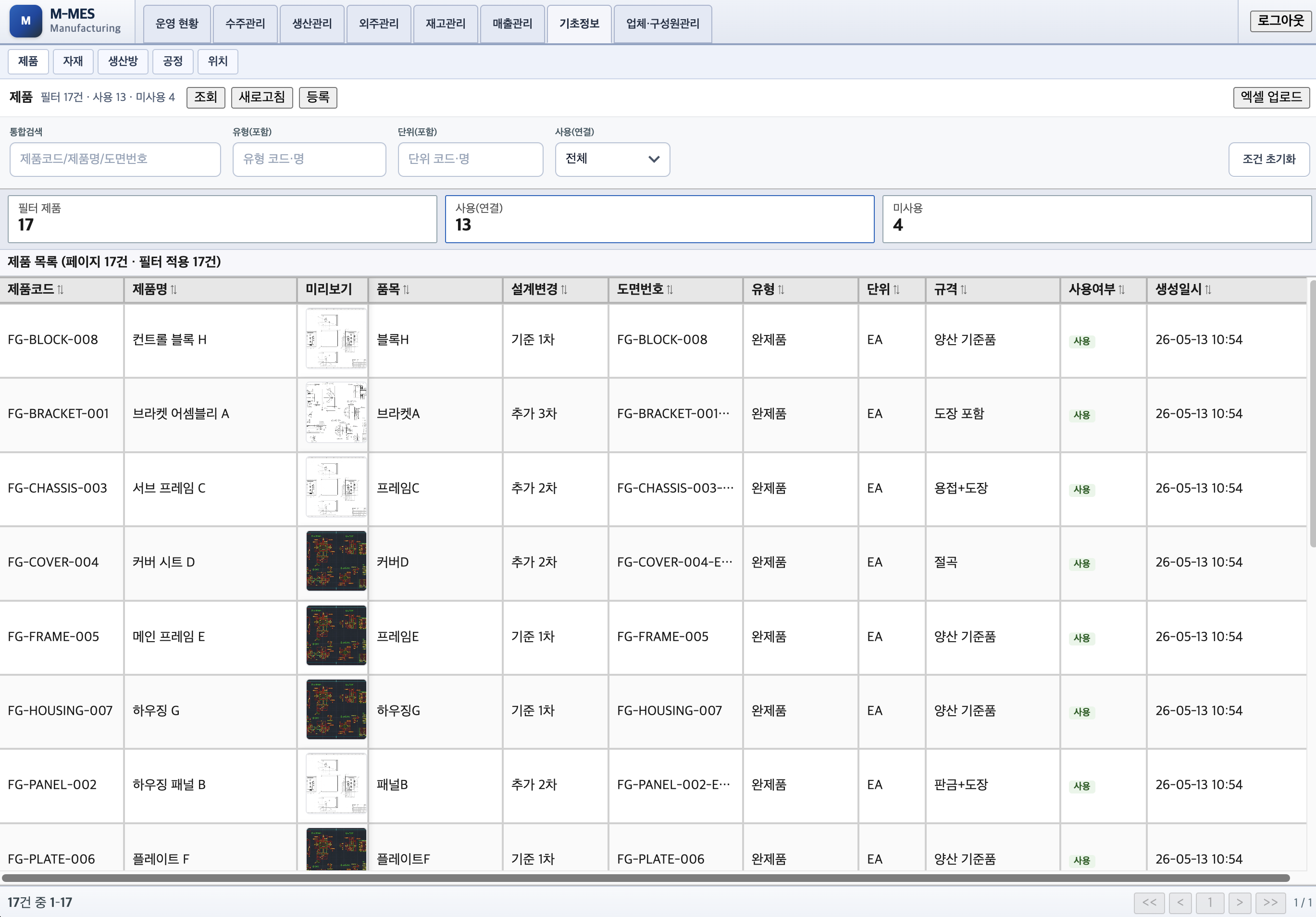
Product spec screen—product, BOM, and routing in one place.
Recommended order. Register new products in Product specs first, then link them to orders. Without master data you cannot create work orders.
Cloud MES Manual05 · Work orders and operations
Work Order & Execution
Work orders and operations
Work orders direct production; operations track status and quantities against those orders.
Work order
Create work orders from orders
Set build quantities and due dates
Assign production room or station
Track work status
Operation execution
Advance each operation
Enter good / defect quantities
Close work and manage status
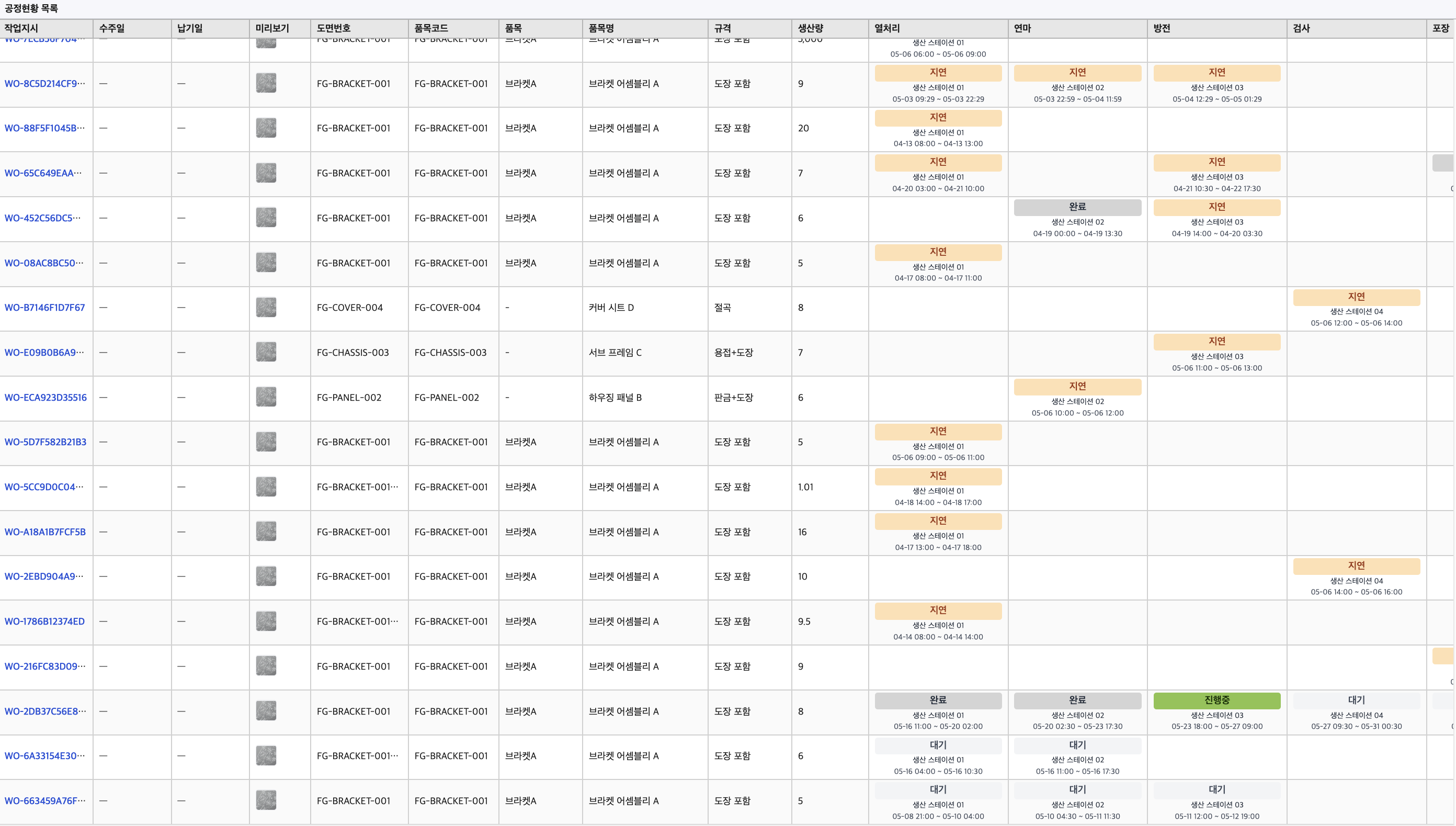
Collect results by operation
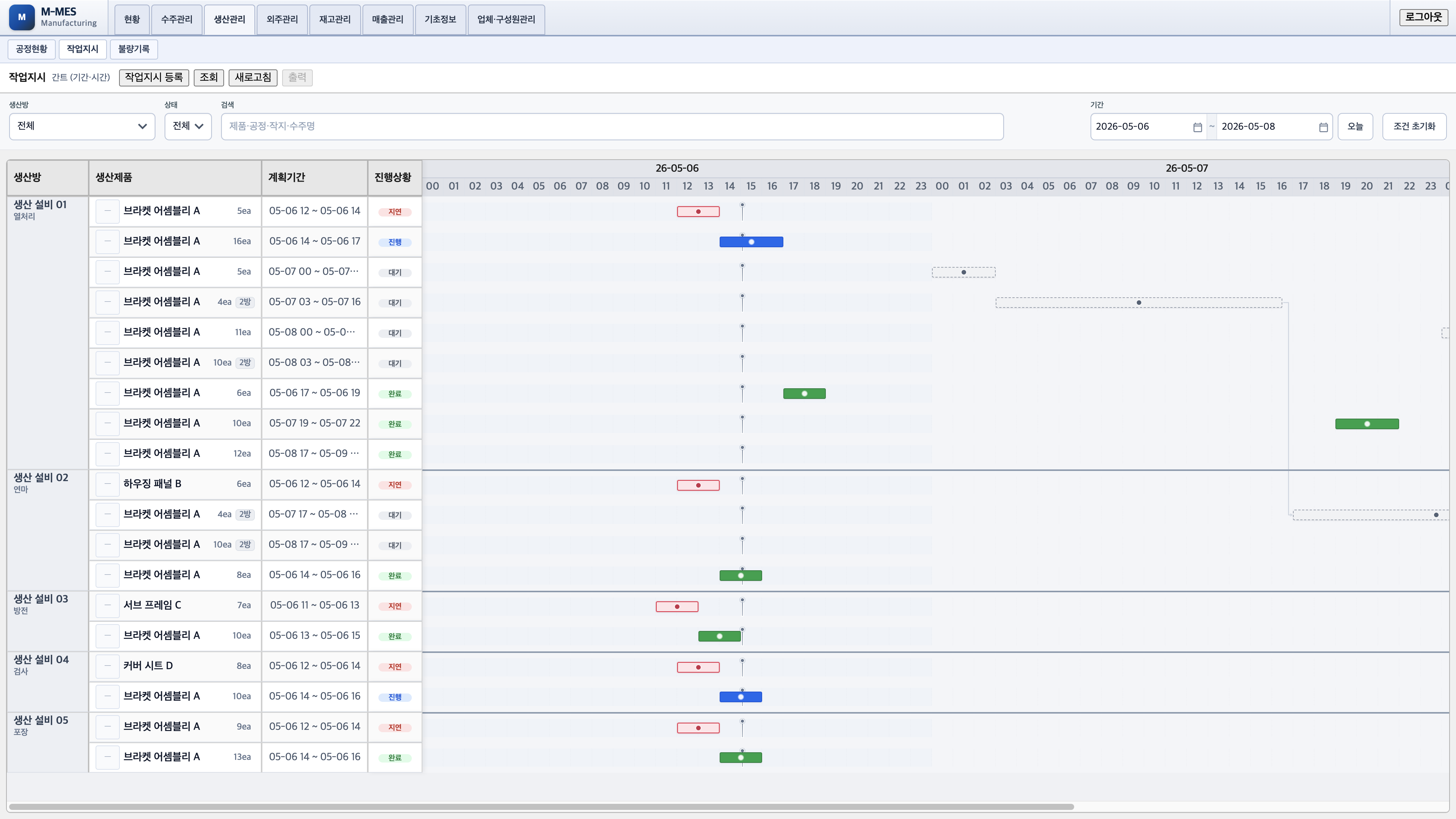
Work order progress—status, completion, and due date in one view.
COREOperation execution is the core of MES.
This is where shop-floor results are captured and become the basis for production status, quality, inventory, and shipping.
Cloud MES Manual06 · Quality inspection
Quality
Quality inspection
Quality inspection confirms product condition in-process or at final step and records pass/fail.
What you do under Quality
See inspection queue
Record inspection results
Log defect types
Decide rework or scrap
Trace quality history
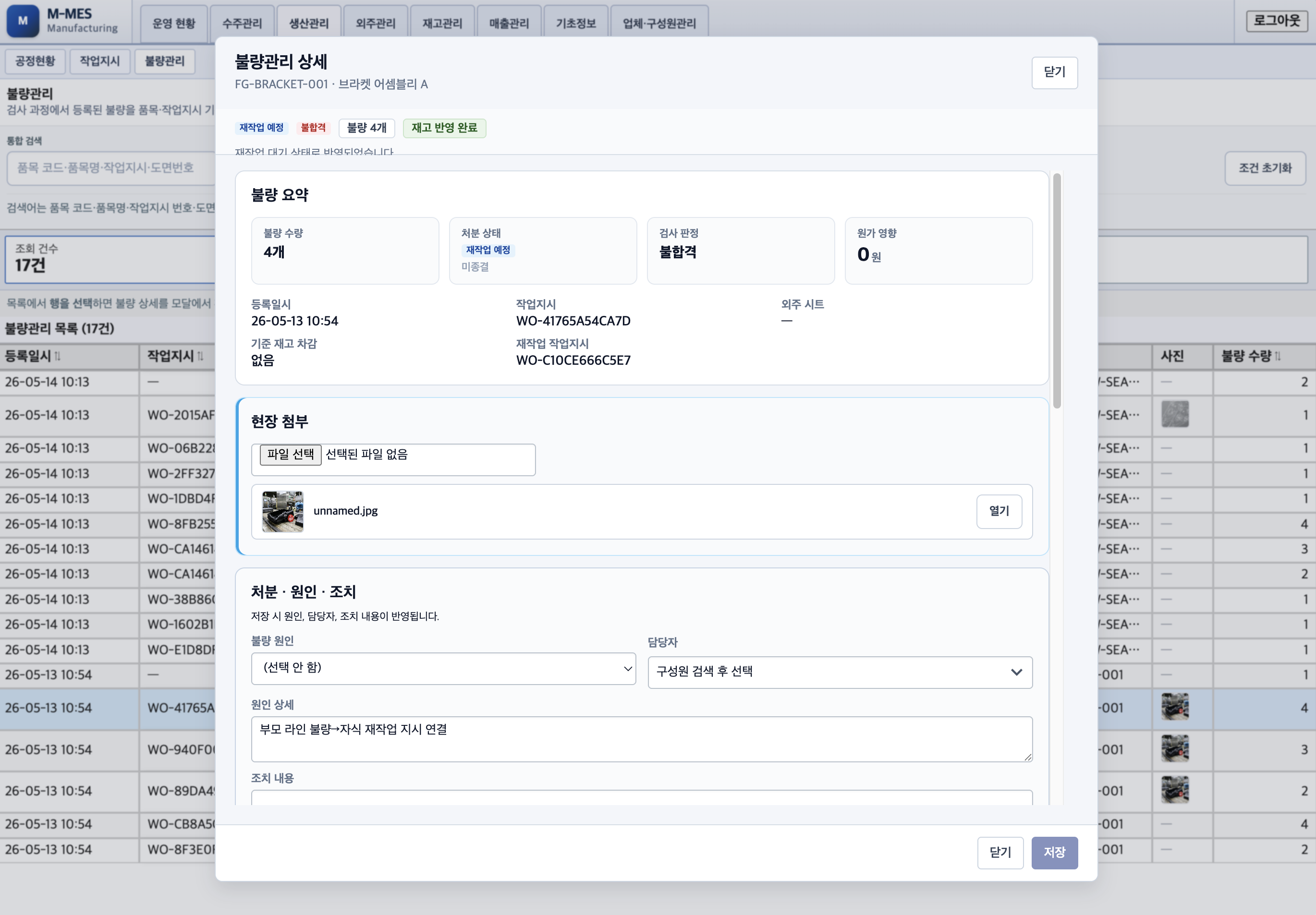
Before shipping. Review every HOLD before shipment. Items on hold must stay out of shipping queues.
Defect detail—summary, attachments, cause, action, and rework work orders in one view.
Cloud MES Manual07 · Inventory and shipping
Inventory & Outbound
Inventory and shipping
Inventory tracks on-hand quantities and locations for materials and finished goods; outbound ships product to meet due dates.
Inventory management
Check material on-hand
Post finished goods receipts
Spot shortages
Location-based stock
Outbound management
Pick due-date shipping targets
Request and process shipments
Manage shipping holds
Link to order completion
Outsourcing. Outsourced purchase and receipt may live in a dedicated menu or extension.
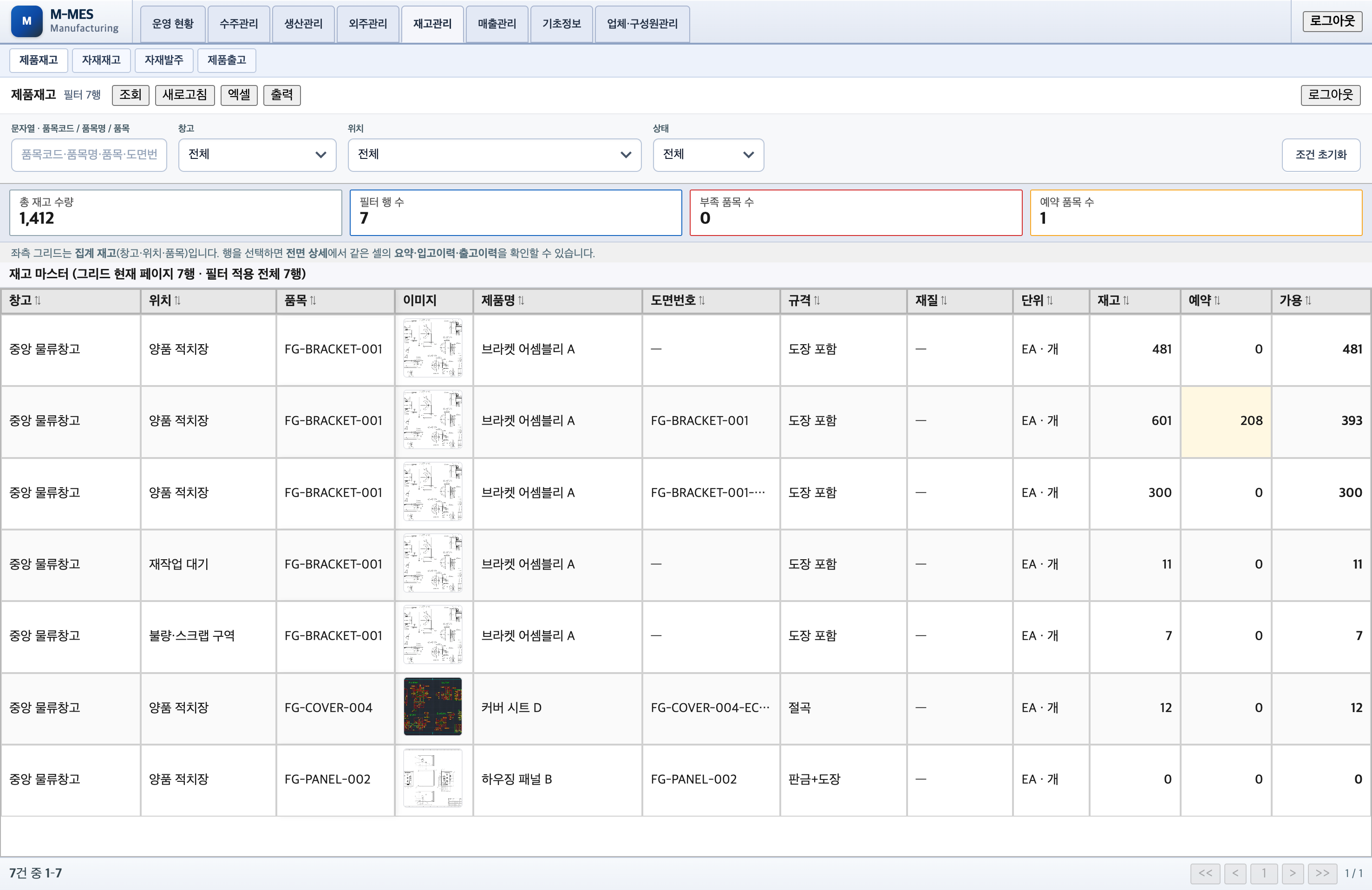
Finished goods stock—warehouse/location balances with shortage and reservation summary.
Cloud MES Manual08 · Operations dashboard
Dashboard
Operations dashboard
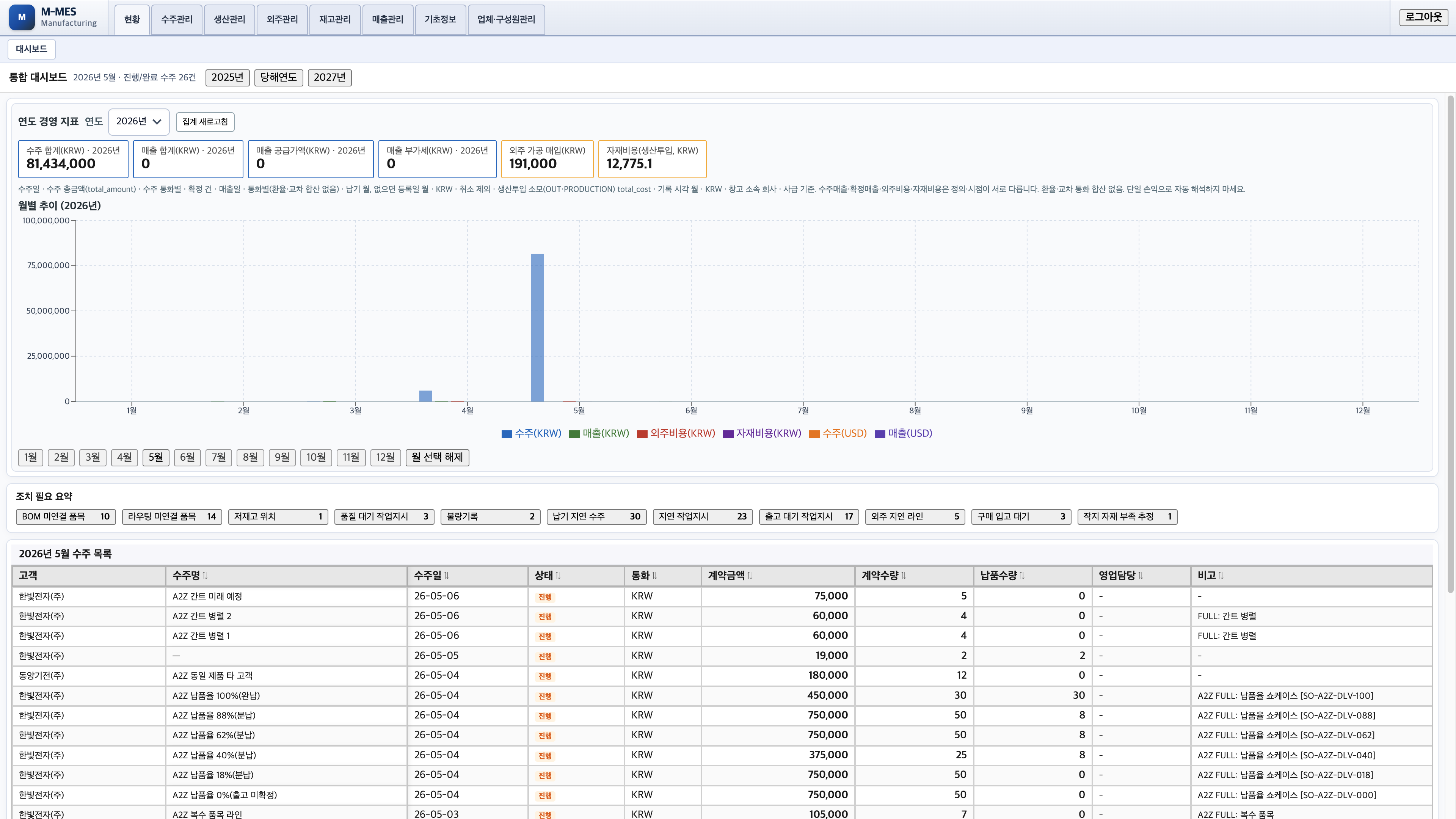
The Operations dashboard rolls up data entered across orders, work orders, operations, quality, and inventory.
so you can quickly see progress, delays, and items needing immediate action.
ProductionOperations & work ordersProgress, assignment, complete/defect summary
Orders & deliveryDue dates & delaysHighlights delayed orders and work orders
ActionImmediate actionShortages, holds, approvals pending, etc.
 Manufacturing Execution System